
Searching Orleans Parish Civil Dockets
For Civil District Court cases, the clerk's own channel is Civil Remote Access. It runs on accounts and subscriptions. There is no open statewide portal behind it. A case number from your paperwork is the best starting point. Without one, search by title or litigant name. Then narrow the results by date, case type, or division. Enter a litigant as Last Name, First Name, the way the form asks. Common names can flood you with pages of hits. One precise detail makes an Orleans Parish search far more dependable.
When a likely match appears, open its information icon. Check the division-section and dates, then hit Pleadings for the full document list in order. Civil Remote Access covers Civil District Court records only. First City Court and Second City Court files are not part of it. Louisiana offers no public statewide trial-case portal. So a city-court case means contacting the clerk for that court's territory, ideally with the case number in hand.
- Identify whether the matter belongs in Civil District Court, First City Court, or Second City Court before beginning the Orleans Parish search.
- Sign in to Civil Remote Access for a Civil District Court case and select Case Search.
- Search by exact case number, or combine a name or title with filing dates, case type, or section.
- Open Case Information, verify the court division and dates, then select Pleadings for filed-document metadata.
- Use the Record Room or clerk for a paper file, certified copy, or an older record that does not supply an image online.
Note: An Orleans Parish civil docket entry only identifies what happened in the case. Getting the attached image or a certified copy is a separate step in record access.
Orleans Parish Civil Docket Fields
Civil Remote Access gives the deepest search controls for an Orleans Parish Civil District Court lookup. The Case Search screen lets you query by Case Number, Case Title, Case Type, Filing Date From and To, Litigant Name, Section or Division, and Attorney Bar Roll Number. A partial Case Title works fine. Attorney Search takes a bar number, a first name, or a last name. It can display 10, 30, or 90 results per page. Click the information icon next to a matching attorney. Choose View Cases to see that lawyer's filings.
| Search field | How it helps an Orleans Parish lookup |
|---|---|
| Case Number | Direct route to a known Civil District Court case. The manual does not publish a universal number mask. |
| Case Title | Accepts a full title or part of one. |
| Litigant Name | Enter Last Name, First Name and narrow broad results with another field. |
| Filing Date From/To | Limits a search to a filing period. |
| Case Type or Section/Division | Further distinguishes records after the account is active. |
| Attorney Bar Roll # | Provides an attorney-based search path. |
The official Remote Access manual spells out the Case Search, Case Information, Pleadings, and certified-copy steps, along with every field the screens offer.
Inside an Orleans Parish Civil Docket
Open a Civil District Court case. The screen leads off with Case Number, Division-Section, Case Title, Case Type, Date Filed, Date Entered, Category, LASES, Other, and Remarks. Below that, the parties block names each litigant. A plaintiff, defendant, petitioner, respondent, or intervenor may appear. The Pleadings button opens the document list at the heart of the docket. Its information icon shows the filing date and the filer. It also notes whether a signature was required, the date signed, and any related pleadings.
| Case Number | The clerk-assigned identifier. Copy it from the court paper because the manual does not state a public format. |
|---|---|
| Division-Section | The assigned Civil District Court unit, important for matching filings and confirming a setting. |
| Case Information | Header fields including title, type, filed and entered dates, category, LASES, other, and remarks. |
| Pleadings | The chronological list of documents and filings linked to the case. |
| Document detail | Filer, filing date, signature status, signing date, and related-pleading information. |
| Image or copy | A scanned image where available, with printing or download controlled through escrow. |
A notice of setting is not a judgment. A signed order may decide one motion and leave the case open. To read an Orleans Parish civil matter, the later docket activity is what tells you where things truly stand.
Orleans Parish Civil Docket Image Dates
Coverage online comes in layers, not one start date. The Civil Clerk says data-entry information begins in 1985. Images run from December 14, 2015 forward. Images back to 2010 depend on the system's coverage and escrow. Land-record indexes and images sit on separate ranges of their own. So an Orleans Parish civil docket can show full case metadata while a particular scanned image is simply not there.
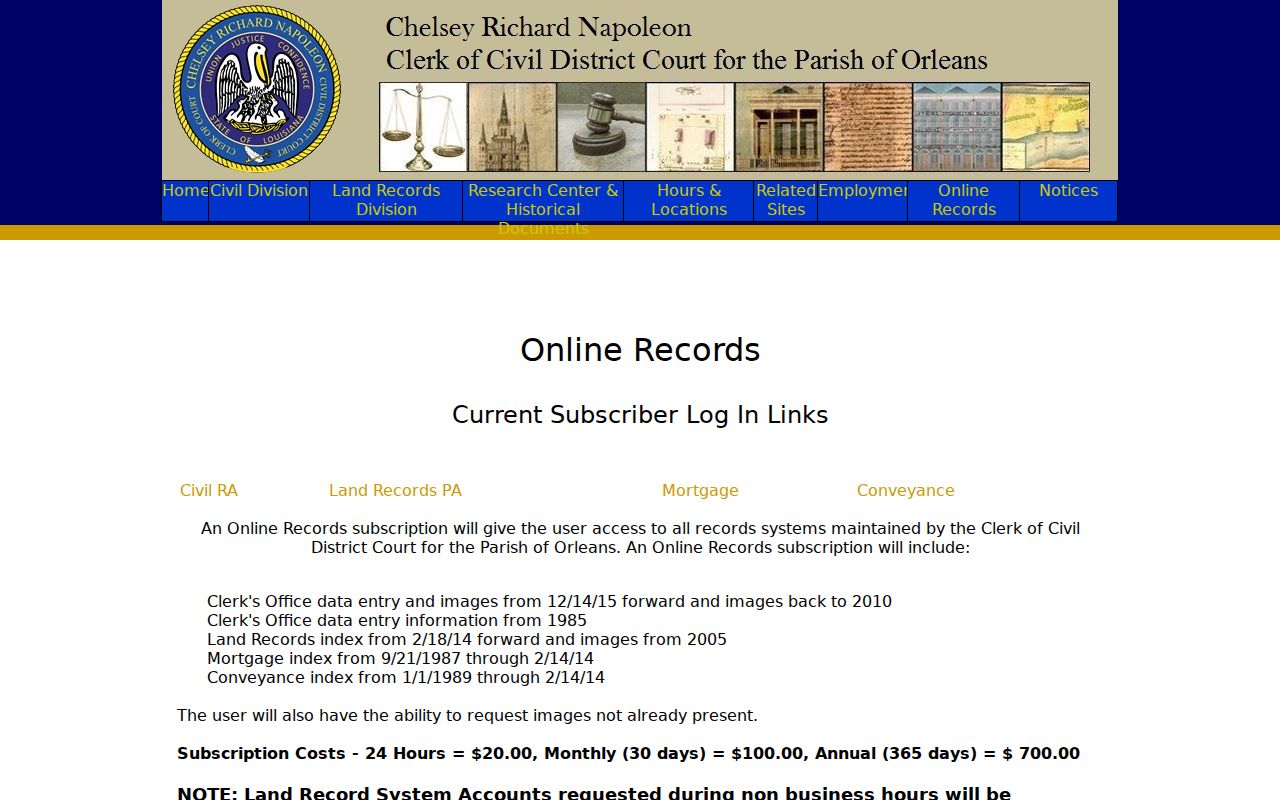
Those date ranges are why a missing image does not mean a missing file. Before concluding anything, check both Case Information and Pleadings in an Orleans Parish result.
Civil Case Types on the Docket
Civil District Court holds general civil jurisdiction in Orleans Parish across fourteen elected divisions. The Civil Clerk receives the suits, pleadings, exhibits, wills, and promissory notes filed there, along with anything pending before the court. Divorce and child support fall to the Civil Division. Docket 1 takes successions, probate, tutorships, interdictions, emancipations, and civil judicial commitments. Docket 4 handles writs, seizures, foreclosures, garnishments, executory process, defaults, and execution of judgments.
- General civil claims and related pleadings in Civil District Court.
- Domestic matters, including divorce and child support.
- Successions, probate, tutorships, interdictions, and related Docket 1 work.
- Writs, seizures, foreclosures, garnishments, and execution matters in Docket 4.
- Post-judgment items such as an abstract, satisfaction, writ, or appeal entry.
Each division uses its own terminology. A typical civil docket moves through a petition, service or sheriff return, an answer or exception, motions, notice of setting, hearing, judgment, and later post-judgment activity.
Orleans Parish Civil Court Docket Split
Civil District Court is not the only option. First City Court covers East Bank civil claims up to $25,000, small claims up to $5,000, East Bank possession matters, and automated-traffic appeals. Second City Court serves Algiers and the West Bank. It takes claims up to $25,000, small claims up to $5,000, and qualifying possession matters. The dollar amount alone does not settle every question. Successions, title to immovable property, divorce, adoption, and interdiction can stay in Civil District Court's specialized jurisdiction.
| Court | Examples of docket matters | Record channel |
|---|---|---|
| Civil District Court | General civil, domestic, probate, successions, writs, judgments, and appeals | Civil Remote Access and Civil Clerk Record Room |
| First City Court | East Bank limited civil, small claims, possession, and automated-enforcement appeals | First City Court clerk |
| Second City Court | Algiers and West Bank limited civil, small claims, and qualifying possession | Second City Court clerk |
First City Court's clerk sits at 421 Loyola, Room 201, and answers the general line at (504) 407-0400. Second City Court is at 225 Morgan, Room 206, with case help at (504) 407-0435. Neither city court publishes a public name-search database, so a docket lookup there goes through the clerk's office directly.
Civil Docket Settings and Hearings
Entries on an Orleans Parish civil docket mark steps, not outcomes. A notice of setting puts a matter on the calendar. It shows nothing more. Status conferences, motion hearings, trial settings, and orders entered afterward each sit at a different point in the case. The Civil Clerk forms use headings such as Motion for Status Conference, Motion to Set Trial, Default Judgment, Trial Dockets, and Appeals. Treat them as signposts in a civil case, not as one interchangeable hearing type.
Work backward from the latest judgment or order. After that, an Orleans Parish case can keep moving. An abstract of judgment, garnishment, writ, satisfaction, new-trial request, appeal, transfer, or consolidation may follow. The Remote Access document list covers that history well. But that list is not a live calendar of everything. Call the assigned division for a date that counts. Check the most recent setting first, plus any later reset.
Older Orleans Parish Civil Docket Files
What if an Orleans Parish civil docket entry lists the case details but shows no image? Go to the office that holds the file. The Civil Clerk Record Room keeps active files by number, and finished hard copies may sit in off-site storage. Older matters go even deeper. The Annex Record Room holds domestic and succession files from 1918 through 2003. Retrieval takes extra time. So come prepared with details. Hand the clerk the case number, the document date, the division, and the exact pleading, order, or judgment you need.
For the official word on hours and copy procedures, the clerk's departments page covers the Record Room, warehouse, Annex, and copy procedures. Need a person? Call the Record Room at (504) 407-0036 or the general Civil Clerk line at (504) 407-0000. Written requests go to cdcclerk@orleanscivilclerk.com. All of these routes work well when a subscription search fails to deliver the document you actually want.
The Civil Remote Access login on that official page is where subscription holders sign in for Orleans Parish court records.
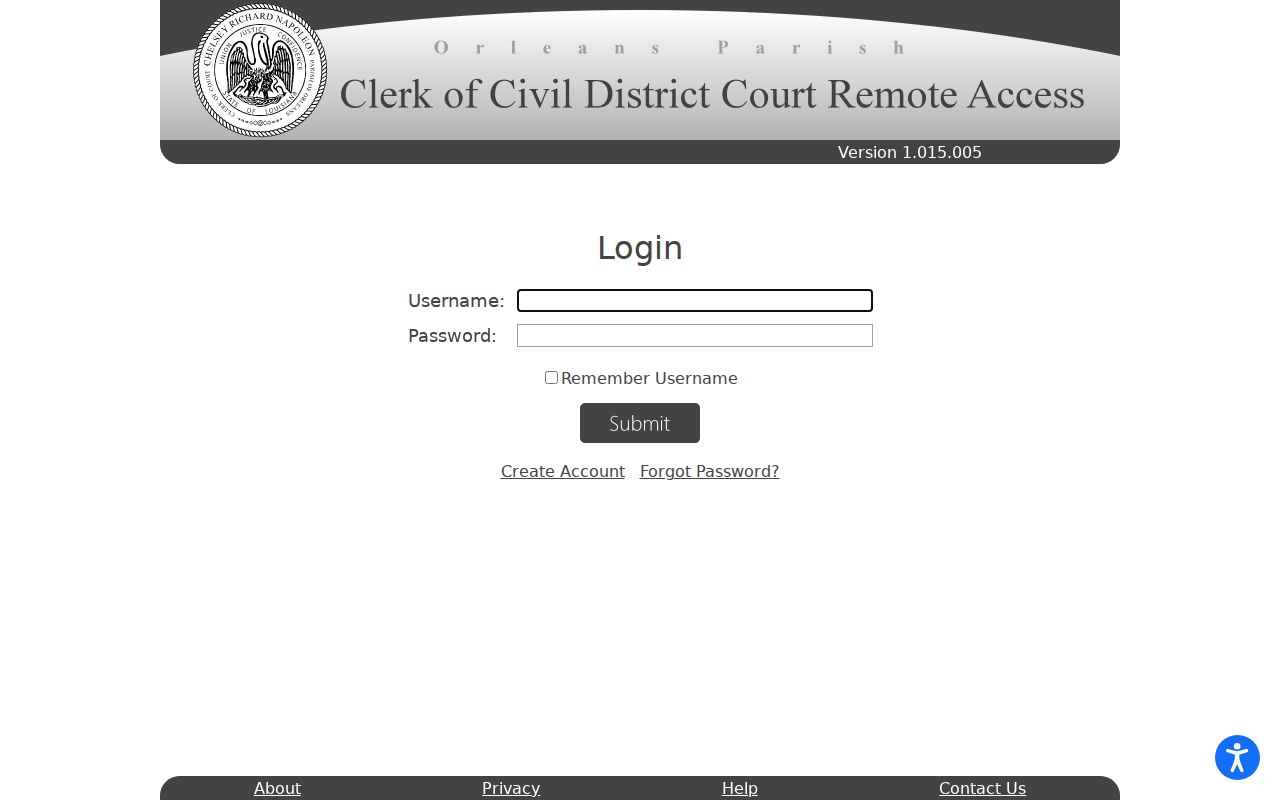
That login gate matters. An Orleans Parish civil case search may not open up until you hold a subscription, since the full search controls and document workflow sit behind the account.
Civil Docket Access Rules
Start any records search with the office that created or holds the file. Civil Remote Access and the Record Room serve Civil District Court materials. Each city court keeps its own clerk channel. One caution applies. Public examination does not make every image free online for viewing. Some sensitive documents stay out of reach entirely. Sealed filings, protected identifiers, and juvenile material are examples. Anything made confidential by law or court order can be redacted, restricted, or simply absent from an Orleans Parish public view.
Key Rules:
La. C.C.P. art. 251 makes the clerk custodian of court records and provides for public examination and certified copies unless access is otherwise limited.
La. R.S. 44:31 recognizes adult access to public records, subject to lawful exemptions.
La. R.S. 44:32 requires reasonable access and copies and addresses written reasons when public-record status is questioned.
La. R.S. 44:35 describes judicial remedies after a denial or lack of the required written response.
When something is restricted, ask the clerk for the legal basis instead of treating a blank online result as the final word. A docket is a court-administration record. It is not the same as a full court file or a certified copy.
Orleans Parish Civil Docket Copies
Copies come in two flavors at the Orleans Parish civil clerk. A regular copy just lets you read the record. A certified copy carries the clerk's seal. That is what you want when an office or court demands something official. The Civil Clerk's fee page puts regular copies at $1 per page and certified copies at $3 per page. One break exists: a party who asks for a disposable judgment at signing gets three free copies. None of these charges is the same as Remote Access. That needs a separate subscription. An escrow balance covers printing and downloading online.
The published Remote Access rates run $20 for 24 hours, $100 for a month, and $700 for a year. Printing or downloading images requires an escrow balance first. Once you hold an account, the certified-copy dialog asks how many copies you need. It also asks whether to have them mailed. Two practical tips: leave the receipt window open, and allow pop-ups during that workflow. The official new-account form is where registration begins.
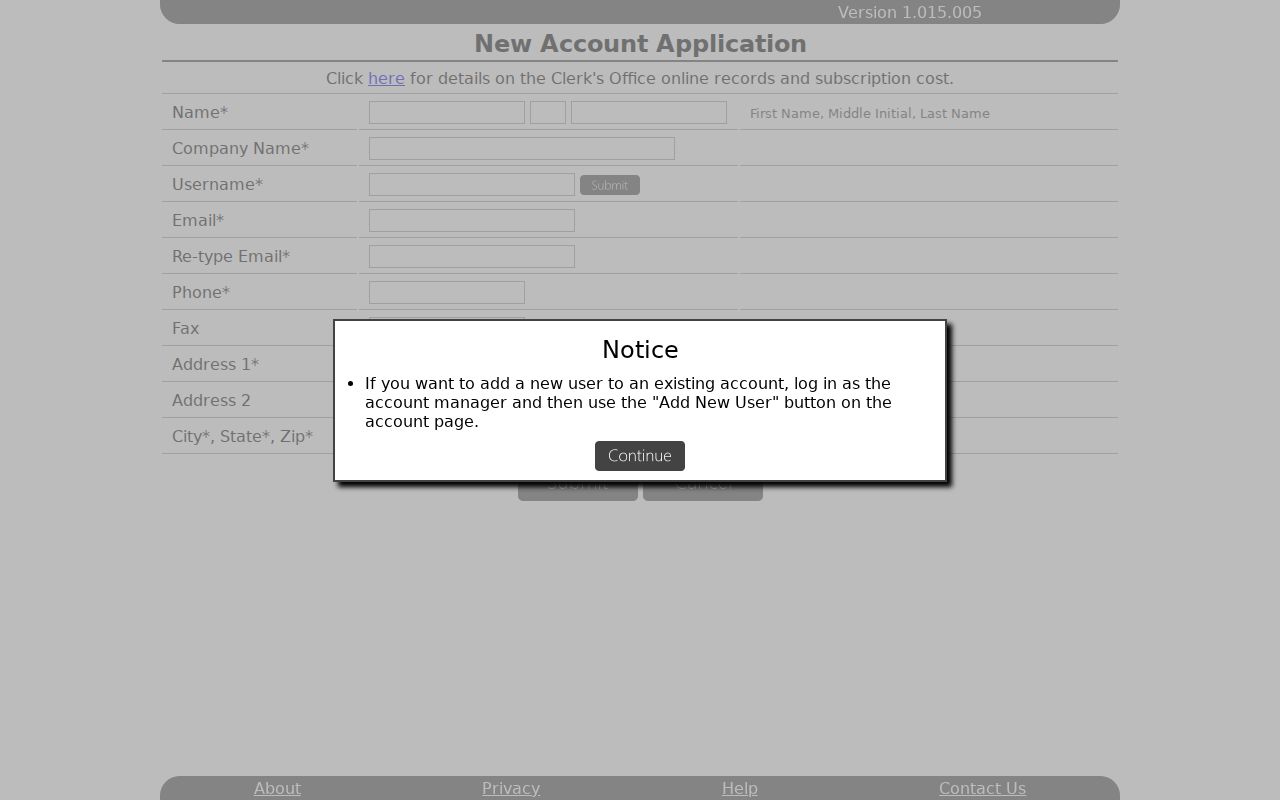
The registration fields sit on the account-based access path to an Orleans Parish Civil District Court docket, including its images and certified-copy controls.
Note: Filing-fee notices can change, so keep them separate from the published copy, certification, subscription, and escrow figures.