
Orleans Parish Court Calendars Explained
Orleans Parish has never folded its trials into one public calendar. Civil District Court and Criminal District Court sit as separate courts. Each is split into its own divisions. Municipal and Traffic Court, First City Court, Second City Court, and Juvenile Court also run their own dockets. The federal Eastern District of Louisiana does too. So start with one question: which court issued the notice? A traffic ticket is not a small-claims file. A civil motion, a state criminal setting, a traffic ticket, and a small-claims file cannot all be chased through the same Orleans Parish calendar.
A calendar is a dated list. It shows what a session will take up. A docket reaches further, gathering filings, orders, minute entries, and later changes in one place. For any Orleans Parish setting, pull the date from the calendar or newest event. Then check it against the case history. An older online line may conflict. A signed court order or a direct word from the assigned court wins. Criminal District Court section pages sometimes carry a daily docket. A Civil District Court hearing is governed by its assigned division.
Note: A missing entry in one Orleans Parish calendar does not prove that another court or section has no active setting.
Orleans Parish Calendar Paths
Every Orleans Parish court has its own practical route to a date. For civil matters, begin with Civil Remote Access to pin down the case and division. The division itself sets the motion hearing. Civil case records flow through the Clerk of Court for the Parish of Orleans / Clerk of Civil District Court, Chelsey Richard Napoleon. On the criminal side, the tool is Clerk Connect. Open a free Orleans inquiry account there. The official guide points to a Court Calendar tab alongside inquiry, minute-search, and daybook tabs. A Criminal District Court section page may also post daily-docket material.
Municipal and Traffic Court runs its own case search. The citation prints your first appearance date. First and Second City Courts offer no public name-search database, so their clerk counter and phone lines carry real weight. A federal Eastern District case lives in PACER and federal court calendar materials, not in any Orleans Parish portal. Louisiana publishes no statewide trial-case calendar. Supreme Court CDX handles Supreme Court filings by counsel and is not a public parish calendar.
| Case source | Calendar route | Useful confirmation |
|---|---|---|
| Civil District Court | Civil Remote Access and the assigned division or section | Section or division handling the hearing |
| Criminal District Court | Clerk Connect, daily docket, and section page | Assigned criminal section or clerk |
| Municipal and Traffic Court | Ticket plus Municipal/Traffic case search | Court clerk by the first-appearance date |
| First or Second City Court | Clerk-held docket and case number | City Court clerk counter or phone |
That split in routes is the whole lesson: match an Orleans Parish court date to its court first. Only then should anyone lean on a calendar entry.
Finding Your Court Date
Begin with the newest ticket, summons, notice, order, or minute entry in hand. Write down the Orleans Parish court name. Note the case number, the division or section, and the date already printed there. The case number is your best key. If you lack one, an Orleans Parish name search may work inside the court's own system. Common names return long result lists, though. Read any match through the court and case type rather than the name alone.
- Match the paper to the correct Orleans Parish court. Use Civil Remote Access for a Civil District Court case, Clerk Connect for a criminal case, and the Municipal and Traffic search for a citation or municipal case.
- Search the case number, or use the court’s permitted name fields. Open the newest dated event, minute entry, daily docket, or calendar line rather than relying on an old notice.
- For Criminal District Court, compare Clerk Connect with the assigned section’s daily docket when one is posted. For civil matters, identify the division or section shown in Case Information.
- Use the courthouse clerk or posted daily docket when the online route is incomplete. Civil main and Record Room numbers are (504) 407-0000 and (504) 407-0036; criminal records are routed through the clerk function at (504) 658-9000.
- For Municipal and Traffic Court, call (504) 658-8500 or act by the first-appearance date on the ticket. First City Court and Second City Court also use clerk phone and counter access for date questions.
- Ask the assigned court section, coordinator, or attorney to confirm an imminent Orleans Parish setting. A clerk can confirm case presence or the date, but cannot give legal advice.
Order matters here, because an Orleans Parish portal can show the filed history while the assigned court alone controls the hearing setting. If a setting is days away, confirm it before you travel.
Orleans Parish Criminal Calendar Labels
The criminal route labels different views of one Orleans Parish process. In Clerk Connect, the Criminal & Traffic Inquiry searches by defendant name or case number. Criminal & Traffic Minute Search holds minute entries. Criminal & Traffic Daybook, in turn, covers event or daybook material. The Court Calendar tab deals with settings themselves. None of these are interchangeable. A reader may need the case inquiry plus the calendar view together to understand a date.
Where the Orleans inquiry interface offers the choice, Case Type can be Magistrate, Criminal, or All. Magistrate marks the early first-appearance and bond stage. Criminal points to the section-stage record once the case moves forward. A setting found under one category may not tell the whole history. The shift to Clerk Connect is ongoing. Older Orleans Parish links may still carry the former Docket Master name.
- Daily docket
- A court or section’s dated listing of matters set for a session.
- Minute entry
- A short court record of what occurred at a proceeding.
- Docket call
- A session where the court reviews cases set that day for a stated purpose.
- Calendar summary
- A daily court document that can show the section, date, hearing label, and case details.
These are common Orleans Parish usage descriptions, nothing more. No stable local abbreviation code list is published. Confirm any shorthand entry with the court rather than guessing at it.
How to Read a Court Setting
Read an Orleans Parish court setting as one complete line, never just a date. The public Criminal District Court calendar summary can show section, calendar date, hearing or session label, case number, charge or statute, and appearance notation. A civil case record shows the assigned division or section. It also lists its filed events. Municipal and Traffic Court starts with the citation. The appearance date is printed right on it. Some daily sheets leave fields blank. A blank field, by itself, does not mean the setting was canceled.
| Date | The listed Orleans Parish session date. Check for a later continued, reset, or new-setting entry. |
|---|---|
| Time | The time printed for a hearing or session. It may be a docket-call time rather than an individual hearing time. |
| Court or section | The Criminal District Court section, Civil District Court division or section, or separate court that owns the setting. |
| Setting label | A description such as first appearance, motion hearing, status conference, trial setting, sentencing, or review. |
| Case details | The case number and party or defendant line that connect the calendar entry to the correct Orleans Parish case. |
Have the section and case number in hand before you call about an Orleans Parish court date. Together, they point the clerk to the right calendar. Without them, a same-name search result can land you in the wrong case.
Orleans Parish Court Calendar and Docket
A court calendar answers a narrow question. In Orleans Parish, it tells you which matters are set for a given date or session. The Orleans Parish docket answers a wider one. It covers what was filed, heard, ordered, continued, or resolved. Clerk Connect keeps its inquiry, minute-search, daybook, and Court Calendar products separate for exactly that reason. Civil Remote Access does the same, splitting Case Information from Pleadings and Documents. Match every calendar entry to the newest docket event. A hearing date may have moved.
That is also why an Orleans Parish daily docket helps without being the whole file. A Criminal District Court calendar summary can show the section, date, hearing label, case number, charge, statute, and appearance notation. The fuller detail sits in a separate minute entry or pleading. If the date matters to you, write things down. Note the court, section, case number, date, source, and access date. Then confirm it with the court handling
Orleans Parish Magistrate Calendar Times
Criminal District Court Magistrate Court publishes a recurring Orleans Parish schedule. Weekday sessions run at 9:30 a.m. and 3:00 p.m. Weekend and holiday sessions run at 3:00 p.m. Those hours describe the Magistrate Court's regular operation. They are not a command to show up for a specific case without checking the record first. A notice, bond condition, or minute entry can set a different obligation for your matter. So can direct word from the court.
The Magistrate stage handles early appearances and bond proceedings. Later, a state criminal case may move into a Criminal District Court section. When that happens, follow the later Orleans Parish setting under that section. A generic recurring time never replaces a docket search. It never replaces a call to the assigned court either.
Note: When an Orleans Parish hearing is imminent, record the case number, section, source, and access date before seeking confirmation.
Continuances, Resets, and Cancellations
An Orleans Parish reset is a new setting. It follows an earlier one that did not go forward. A continuance is a request or an order moving a scheduled matter. What counts is the latest dated event. Never treat an old Notice of Setting as current. That warning applies when a later docket line says continued, reset, passed, or continued without date. The same rule holds when the line gives a new date. The official local materials publish no complete glossary of calendar codes. So trust the current court entry over any assumed abbreviation.
A filed Motion to Continue does not prove a judge granted it. In a civil Orleans Parish matter, the motion goes to the clerk. It then goes to the appropriate section, which schedules the hearing. In a criminal matter, motions are filed in the pending section. That section sets the hearing and notifies defense and the district attorney. Weather, emergency, or remote-session notices can change a calendar line after the fact.
Sometimes an entry vanishes or conflicts with a newer notice. Call the assigned section or clerk. Ask for the current date. Keep both the old and new dates, along with the source of each.
Orleans Parish Court Calendar Closures
Check the court's own closure information before you travel to an Orleans Parish setting. Criminal District Court posts current news and emergency notices apart from its daily docket material. One closure can move a session. It can also convert a session to a remote proceeding or push it to a later setting. Skip the generic holiday lists. Each parish court keeps its own calendar, so a court-specific notice beats a shared one.
The official Criminal District Court holiday calendar lists the court's 2026 legal holidays.
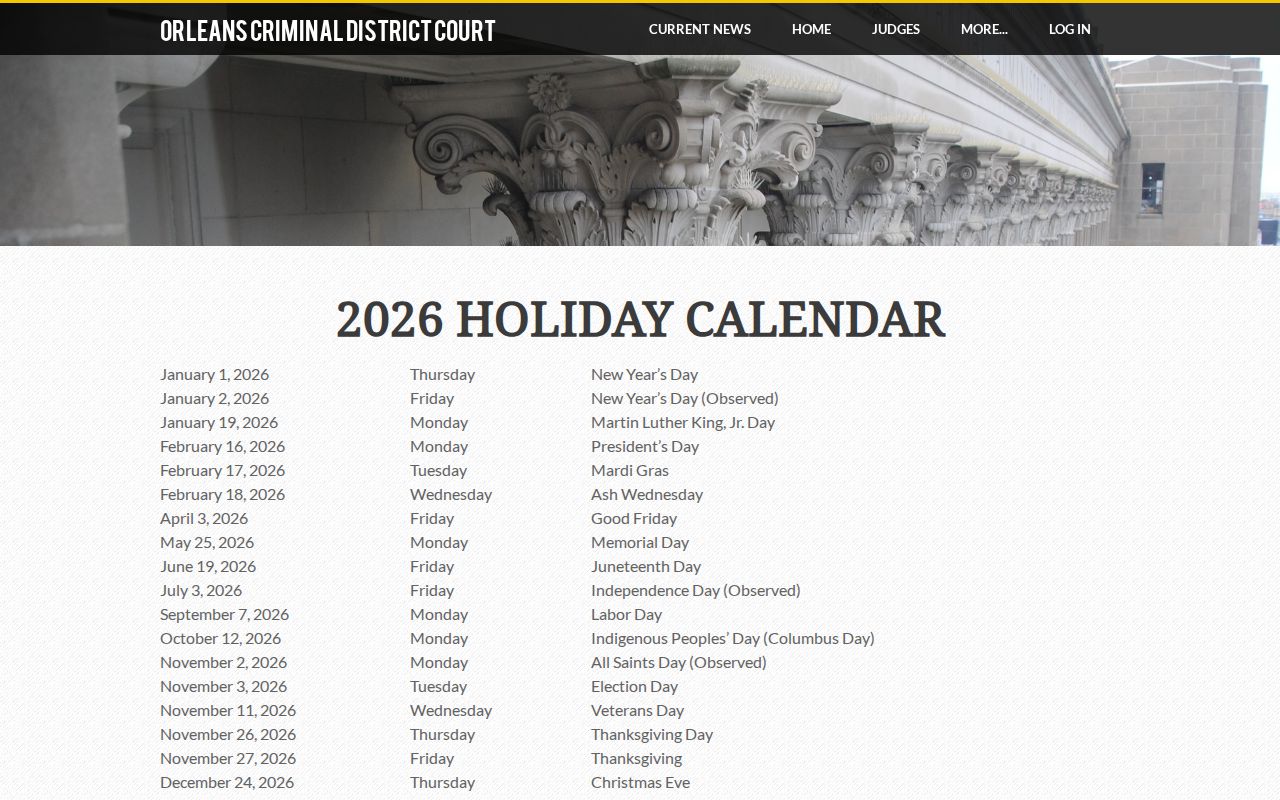
Use that holiday schedule as a closure check. Then confirm the actual Orleans Parish case setting with its section or clerk.
The official Criminal District Court current-news page carries the court's closure, weather, and remote-session updates.
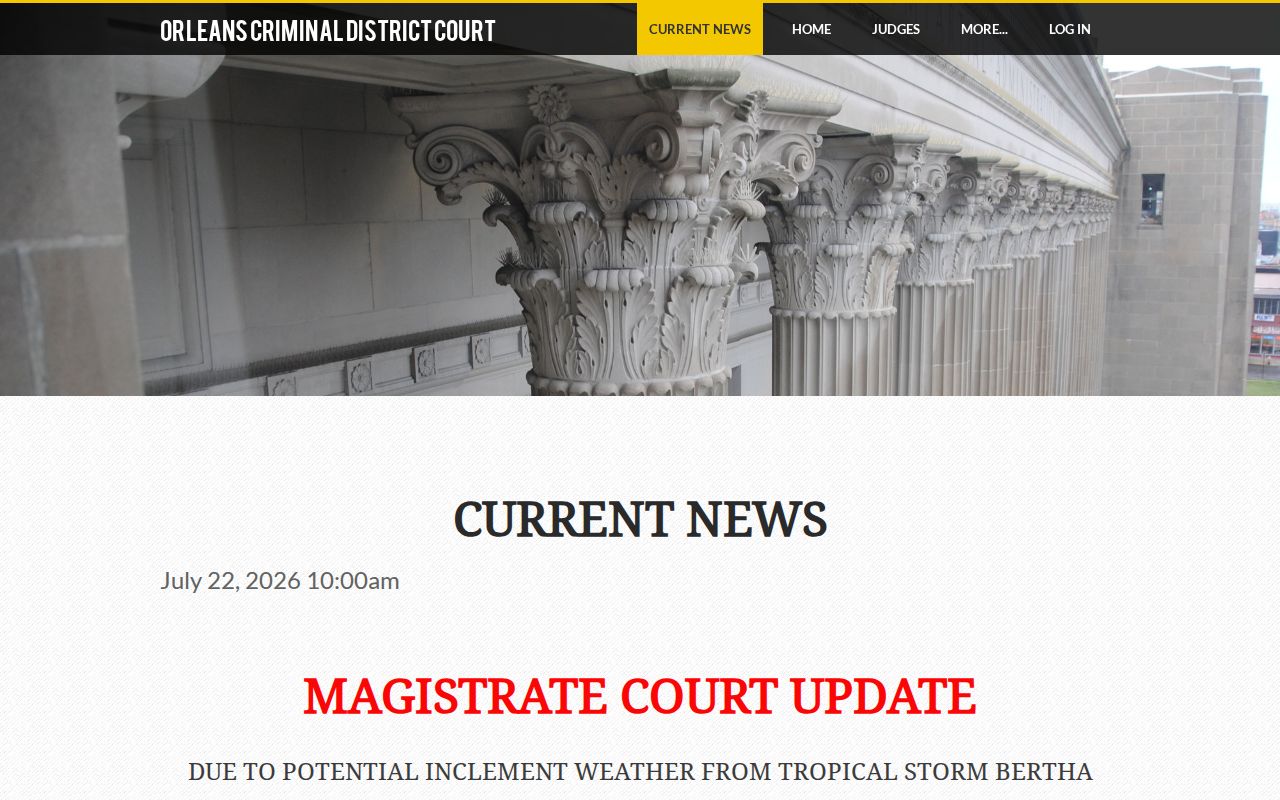
A current notice can explain why a familiar Orleans Parish calendar path shows a delayed or changed session.
If You Miss a Court Setting
Act fast after missing an Orleans Parish setting. Start with the basics. Gather the court, case number, section, and date from your notice or case record. Then call the clerk or the assigned court section. Ask for the current status and any updated setting. Municipal and Traffic Court tells people to act by the first-appearance date on the ticket. A not-guilty plea requires an in-person appearance by you or a licensed attorney. That appearance must come on or before that date and request a trial date. Do not sit around waiting for a portal line to change. Check with the court instead.
What a missed date means depends on the Orleans Parish court and the type of case. A criminal matter may raise a failure-to-appear issue or a bond consequence. A civil or city-court matter can move ahead under its own rules. The clerk can give you docket information. But questions about what to file or how to respond are legal questions. Those belong with a licensed attorney.
Missed a Setting? A missed Orleans Parish criminal setting can lead to a failure-to-appear issue or bond forfeiture, depending on the court’s action.
Contact the assigned court section or clerk immediately with the case number and missed date to learn the current calendar status.
Consult a licensed attorney about a missed Orleans Parish court setting before appearing or filing a request.